RIDE Balance Board
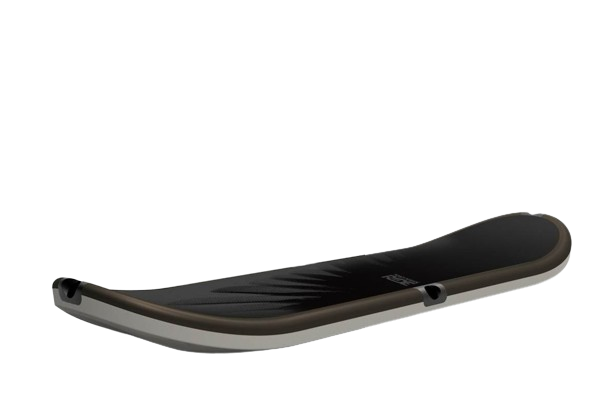
The RIDE Balance Board is a unique controller designed for the Activision games Tony Hawk Ride and Tony Hawk Shred. Released in 2009, this controller simulates the experience of riding a skateboard by allowing players to physically balance and perform tricks on the board.
It was supported on the Nintendo Wii, PlayStation 3 and Xbox 360
Steam Input support
No
Linux Kernel Support
No
Emulator usecase
RPCS3 Dolphin Xenia
RPCS3 How-to: Configure the RIDE Balance
Follow these steps to connect and configure the RIDE Balance Board for use with RPCS3:
- Plug the Cyberbike controller into a USB port.
- Launch the RPCS3 from RetroDECK Configurator.
- Go to
Config->Pads. - In the
Padssettings window, selectDualShock 3from the dropdown menu. - Click on
Configureto map the RIDE Balance Board inputs to the corresponding buttons.
- Go to
- In the
Configurewindow, map the balance board inputs to the corresponding buttons. - For example, map the board's tilt to the left and right analog sticks and the foot sensors to the face buttons.
- Once all inputs are mapped, click
OKto save the settings. - Quit RPCS3 and return to RetroDECK.
Dolphin How-to: Configure the RIDE Balance
You will need to have configured bluetooth for this to work. Check the Wii Remote guide on the wiki.
- Launch the Dolphin from RetroDECK Configurator.
- Go to
Options->Controller Settings.- In the
Controller Settingswindow, select theWii Remotetab. - Choose
Real Wii Remotefrom the dropdown menu forWii Remote 1.
- In the
- Pair the Balance Board by pressing the sync button on the RIDE Balance Board.
- In Dolphin, click on
Pair Upto connect the balance board to the emulator.
- In Dolphin, click on
- Go to
Options->Controller Settings->ConfigureunderWii Remote 1.- Map the balance board inputs to the corresponding Wii Remote buttons.
- For example, map the board's tilt to the left and right analog sticks and the foot sensors to the face buttons.
- Once all inputs are mapped, click
OKto save the settings. - Quit Dolphin and return to RetroDECK.