SEGA Seamic Controller
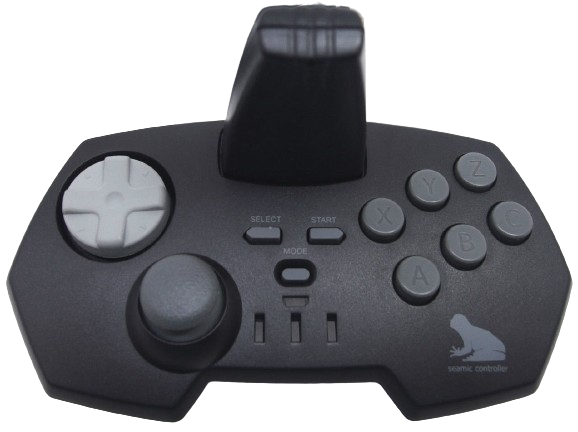
Uses for the PlayStation 2 games: Seaman: Kindan no Pet & Seaman 2: Peking Genjin Ikusei Kit
Steam Input support
No
Linux Kernel Support
Unknown
Emulator usecase
PCSX2
How to configure in PCSX2 - Playstation 2
You can map the Seamic Inputs to any input device such as a controller, the controllers needs to be connected.
- Open
RetroDECK Configurator - Open
PCSX2 - Go to
Settings->Controllers-> SelectUSB Port-> SelectSEGA Seamicfrom the Dropdown list - Map the buttons to the controller or input device they are using by clicking on each value and pressing the button you want to map.